
A penetration test report is the written result of a security test: scope, method, findings with evidence, severity and fixes. Read it in order: check scope and limits, read the summary, grade each finding's proof, compare severity with confidence, group by root cause, then assign owners, dates and a retest.
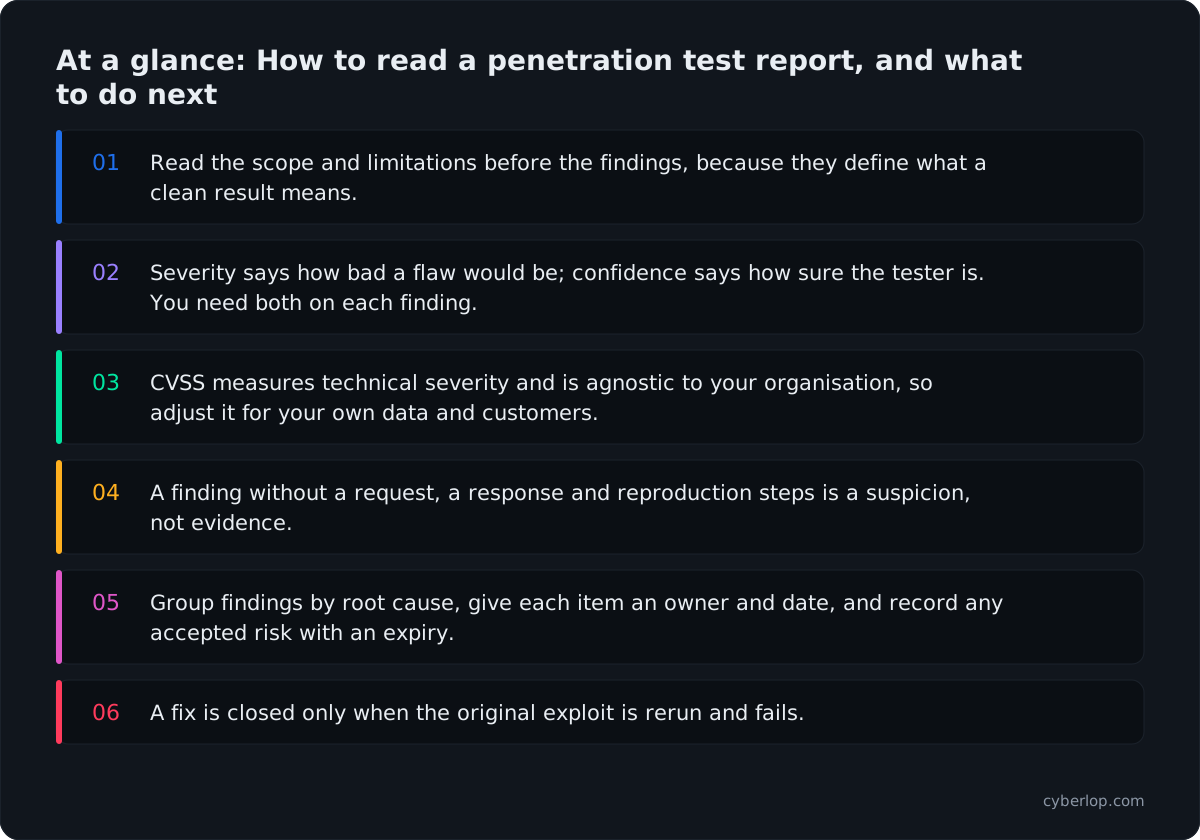
- Read the scope and limitations before the findings, because they define what a clean result means.
- Severity says how bad a flaw would be; confidence says how sure the tester is. You need both on each finding.
- CVSS measures technical severity and is agnostic to your organisation, so adjust it for your own data and customers.
- A finding without a request, a response and reproduction steps is a suspicion, not evidence.
- Group findings by root cause, give each item an owner and date, and record any accepted risk with an expiry.
- A fix is closed only when the original exploit is rerun and fails.
A penetration test report is the written result of a security test: the agreed scope, the method, each vulnerability found, the evidence behind it and the advice to fix it. To read one, start with the scope and limits, then the executive summary, then the findings sorted by proof rather than by colour, and only then the appendices. Ask three questions of every finding: is it proven, how bad is it for your business, and who will fix it by when.
This guide is for the person who receives the PDF: a founder, CTO, engineering lead or compliance owner who has to turn forty pages into a plan, using the 2026 versions of the standards. It covers what you do with the report, not how a finding is built. For that, see what belongs in a finding. Here we walk through the whole penetration test report in the order you should read it.
What is a penetration test report for?
A penetration test report has three jobs. It tells leadership whether the tested application is in a state they can accept. It tells engineers exactly what to change. And it gives an auditor, a customer or an insurer written evidence that the testing happened and what it found.
Those are three different readers. A good report serves all three without making any of them wade through the others' sections. The OWASP Web Security Testing Guide says as much: its reporting chapter gives the executive summary to non-technical readers and the findings to the engineers who will fix them. It also tells testers to mask passwords, card details and other sensitive data in the report.
What sections should a penetration test report contain?
Reports differ in layout, but the parts are consistent across the main references. The WSTG describes an introduction, an executive summary and a findings section; most providers add appendices for method and raw output. Here is what each should contain and what to check as the reader.
Report anatomy at a glance
| Section | What it should contain | What to check as the reader |
|---|---|---|
| Introduction | Version and date, scope, timeline, testing limits, who tested, disclaimer | Does the scope match what you asked for? Are the limits stated plainly? |
| Executive summary | Objectives, business context, key findings in plain language, strategic recommendations | Could a non-engineer decide what to do from this page alone? |
| Findings | A summary table, then one entry per issue with ID, title, risk rating, description, impact, evidence and remediation | Is each entry proven, reproducible and assigned a clear fix? |
| Appendices (common practice) | Methodology, how ratings were calculated, tool output, checklists of what was tested | Can you see what was covered, not only what was found? |
Two further items are worth looking for even though they are not always labelled. The first is a statement of what was not tested. The second is a clear route to a retest. We come back to both below.
The one-page test for any report
Open the summary and the first finding only. If you can state the worst problem, who must act and what proof backs it, the rest will probably hold up. If you cannot, ask for a rewrite before the report goes to your board or a customer.
Why read the scope and limitations first?
Most people jump to the findings. Read the scope page first, because it tells you what a clean result would actually mean. A report that found nothing in a login page and a public API says nothing about the admin console that was never in scope.
Check these points against your original brief and your pentest scope:
- Targets. The hosts, applications, API versions and environments the testers covered. Production and staging behave differently.
- Test depth. Whether the work was black-box, grey-box or white-box. Each finds different things, which our guide to the three testing types covers.
- Accounts used. Which signed-in accounts the testers had, and which roles and tenants those accounts belonged to. Access-control flaws only appear if an account exists to try them from.
- Time and exclusions. The dates, the effort, and anything excluded under the rules of engagement, such as denial-of-service tests or particular endpoints.
- Constraints. Rate limits, blocked traffic, unavailable test data or outages that stopped the testers reaching something.
If the limitations section is missing or says only that the test was a point-in-time snapshot, ask the vendor to add the specifics. A snapshot statement is true of every test and tells you nothing about this one.
How do you read the executive summary?
A good executive summary fits on a page or two and states a verdict. It names the scope, the worst realistic outcome, the number of issues at each level and the first action. According to the WSTG, it should describe the test objectives and business context and give key findings in business terms.
Read it with a pen, and mark every claim that is not backed by a finding further in. If the summary says customer data could be exposed, a finding should show the leak. If it says the application is generally well defended, ask what that sentence is based on.
What is the difference between severity and confidence?
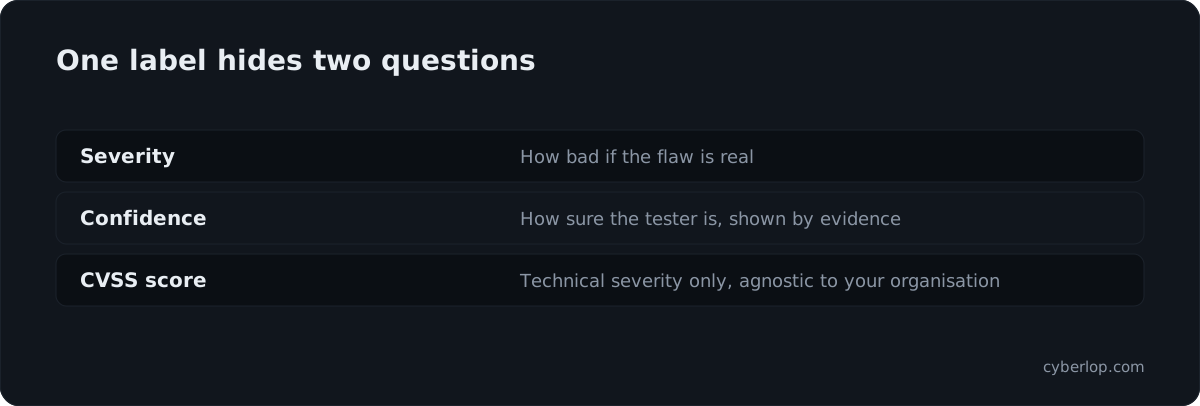
Every finding carries a label such as critical, high or medium. Treat that label as a starting point, because it usually mixes two different questions. Severity asks how bad the issue would be if it is real. Confidence asks how sure the tester is that it is real. Our own post on reading a finding explains why these must be kept apart, and the severity versus confidence entry gives the short version.
In practice, you want to see both on each entry. A high-severity, low-confidence item is a task for someone to verify. A medium-severity item that the testers demonstrated step by step is something you can schedule with certainty. When a report gives one colour and no statement of how the tester confirmed it, you cannot tell which of these you are looking at.
Look also at how the tester describes certainty. Phrases such as "may be vulnerable", "appears to allow" or "could potentially" describe a suspicion. Phrases such as "we retrieved", "the response contained" or "we changed" describe something that happened. Our post on exploited, not suspected makes the case for the second kind.
What does a CVSS score tell you about a pentest finding?
CVSS, the Common Vulnerability Scoring System from FIRST, is the 0.0 to 10.0 score many reports attach to each finding. It is useful, but narrower than most readers assume. The FIRST specification for CVSS v4.0 describes four metric groups: Base, Threat, Environmental and Supplemental. Base metrics capture the intrinsic characteristics of a vulnerability that do not change over time. Threat metrics reflect things like exploit availability. Environmental metrics adapt the score to a specific organisation. Supplemental metrics add context without changing the score.
The specification also defines a naming convention so you can see which groups went into a number: CVSS-B for Base only, CVSS-BT for Base and Threat, CVSS-BE for Base and Environmental, and CVSS-BTE for all three. It asks for that label wherever a score appears. So the first thing to check is the label on the score. A bare "8.1" with no vector is hard to interpret. A score with its vector string lets your own engineers recompute it.
CVSS v4.0 rating bands
The specification fixes the qualitative bands:
| Rating | CVSS v4.0 score range |
|---|---|
| None | 0.0 |
| Low | 0.1 to 3.9 |
| Medium | 4.0 to 6.9 |
| High | 7.0 to 8.9 |
| Critical | 9.0 to 10.0 |
What CVSS leaves out matters most. The specification is clear that the assessment is meant to be agnostic to the individual and their organisation. It measures the technical characteristics of the flaw, not factors such as regulatory requirements, the number of customers affected or the money a breach would cost. Those belong to you. A base score of 6.5 on your payments service and the same score on an internal wiki are not the same priority, and the report cannot know that unless the tester rated with your context in mind. See CVSS 4 and the environmental score for how that adjustment works.
Business-logic and access-control flaws expose the limit sharply. A page that lets one customer read another customer's invoices may score modestly on a generic calculator while being the most damaging issue in the report. Read the written impact, not just the number. If a rating looks too low for the story the finding tells, say so to the vendor, who should be willing to explain it.
How do you judge the evidence behind a finding?
Evidence is what separates a finding from an opinion. For each entry, check whether you could hand it to an engineer who has never seen the report and have them reproduce it in an hour. The reproduction steps should be exact enough to follow without a call.
Four things to look for in every finding
- The request. The exact request, and the account that sent it. The same request from a different account is a different event.
- The response. What came back and what should have come back. A 200 where a 403 belonged is often the whole finding.
- A screenshot. For anything visible in a browser, so a non-engineer can see it too.
- The cause. The component, and in a code-assisted test the file and line, that lets it happen.
Evidence of this kind is a proof of exploit. It should also state what the tester actually did: read a record, changed a value, reached a page. If the report says a flaw "could" lead to account takeover but never shows a takeover, treat it as a hypothesis until someone confirms it.
Output from an automated tool is a different thing. A pasted scanner line saying a header is missing is not evidence of exploitation. It can be legitimate and still be low value. Our post on publishing the misses covers why a report should also say what the testers tried without success, which shows you what they covered.
Signs of a padded report
Padding makes a report look thorough and hides how little the testers proved.
- Many findings are generic items, such as missing headers, banner disclosure or an old TLS setting, with no connection to your application's behaviour.
- Descriptions are identical across clients, with only the hostname changed.
- There are no screenshots or raw requests, only paragraphs of explanation.
Evidence grades you can apply
| Grade | What you see | How to treat it |
|---|---|---|
| Demonstrated | Request, response, named account and the effect shown | Schedule by severity; retest the same steps |
| Reproducible | Exact steps, but no output or screenshot | Ask for the missing proof, then fix |
| Indicated | Tool output or a version string, no exploit | Verify before spending engineering time |
| Theoretical | "May be vulnerable", no test shown | Never rank above proven items |
False positives, and what was not found
A false positive is a reported issue that is not real. A penetration test that includes manual validation should contain very few, but a report built mostly from scanner output can contain many. If you cannot reproduce a finding, tell the vendor and ask for the evidence. A professional answer is either a clearer demonstration or a withdrawal.
The opposite problem is harder to see. A false negative is a real flaw the test missed. No report can rule these out, so look for signs of test coverage: a list of the areas and workflows exercised, the roles used, and the classes of weakness checked. The OWASP Top 10 and the testing categories in the WSTG make useful yardsticks. If your application has an admin area, a payment flow and a partner API, the coverage list should name all three.
For access control in particular, ask whether the testers had at least two accounts at the same level and one at a higher level. Without them, a test cannot try one account reading another's data, which is how broken object-level authorisation shows up.
Why does a pentest report deserve a close read?
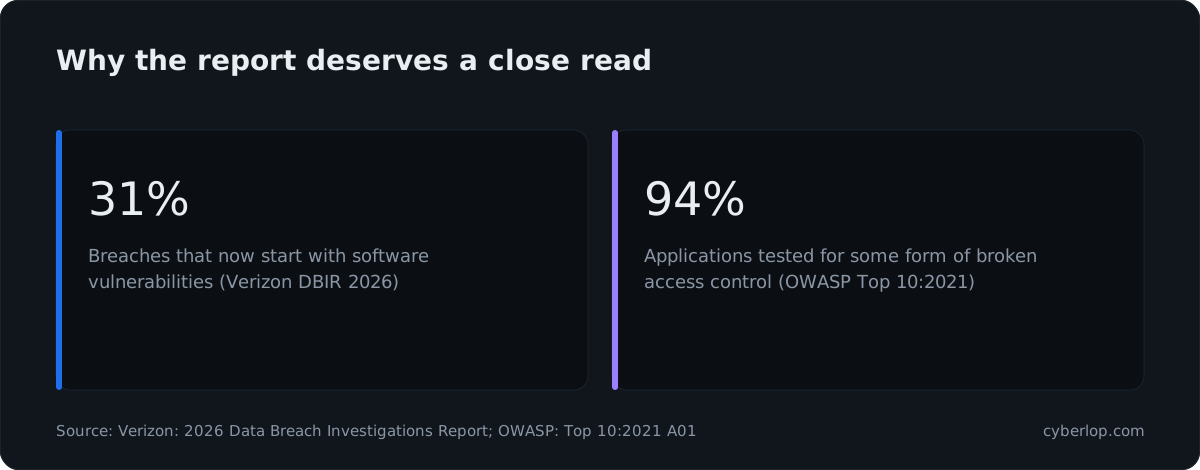
Because the flaws it describes are a real way in, and access control is where tests most often find them. The Verizon 2026 Data Breach Investigations Report states that 31% of breaches now start with software vulnerabilities, beating stolen passwords as the top way attackers get in. OWASP's Top 10:2021 reports that 94% of applications were tested for some form of broken access control, with 34 CWEs mapped and over 318k occurrences in the contributed data.
The price of ignoring it is public too. IBM's 2026 Cost of a Data Breach report gives the global average cost of a breach as USD 4.99 million, a 12% increase over last year. A report you read in an afternoon and act on in a week is cheap against that.
How do you triage and prioritise pentest findings?
Triage is where the report becomes work. The finding triage step takes the vendor's ratings as input, then adjusts them using what you know about your own business. Do it in a short meeting with an engineer who knows the code and someone who understands the commercial impact.
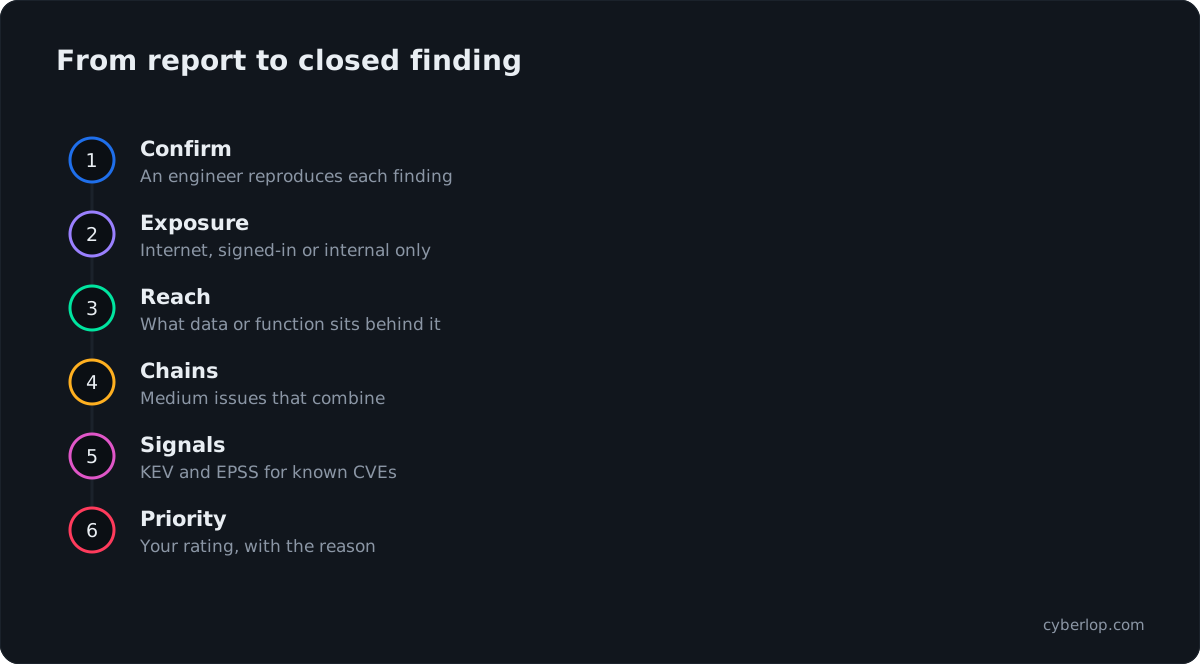
- Confirm each finding. Have an engineer reproduce it from the report. Mark each as confirmed, not reproducible or needs more information.
- Check exposure. Is the affected endpoint reachable from the internet, only by customers who have signed in, or only inside your network?
- Check what is reachable. What data or function sits behind the flaw? Customer records, payment actions and admin functions raise priority.
- Look for chains. Two medium issues can combine into a serious one. See chained vulnerabilities. A good report notes these, but read the list for yourself.
- Add outside signals. For known component vulnerabilities, check exploitation data, covered next.
- Set the final priority. Record your own rating and why it differs, if it does, from the vendor's.
Using exploitation data
CISA Known Exploited Vulnerabilities
Two public sources help when a finding is a known vulnerability in a library or product, rather than a flaw in your own code. The CISA Known Exploited Vulnerabilities catalog lists vulnerabilities exploited in the wild, and CISA says organisations should use it as an input to their vulnerability management prioritisation. It showed 1,734 entries when we read it on 8 October 2026. If a finding maps to an entry there, move it up. See KEV catalogue.
EPSS
The Exploit Prediction Scoring System, from FIRST, publishes a daily 0 to 1 probability that a published CVE will see exploitation in the wild in the next 30 days. It is a signal about likelihood, not a verdict about your system. See EPSS for how to combine it with severity. Neither covers flaws in your own business logic, which have no CVE; there, the tester's evidence is the signal.
How do you turn findings into a remediation plan?
A plan has an owner, a date and a definition of done for each item. Without those, a report becomes a folder nobody opens until the week of the next audit.
| Step | What to decide | Output |
|---|---|---|
| 1. Group | Combine findings that share a root cause, such as a missing ownership check used on ten endpoints | Fewer, larger work items |
| 2. Assign | One named engineering owner per item, plus a reviewer | A ticket per item |
| 3. Schedule | A target date from your remediation SLA, based on your final priority | Dates in your tracker |
| 4. Choose the fix | The permanent fix, or a temporary compensating control with an end date | An agreed approach |
| 5. Verify | How closure will be proven, ideally by repeating the original steps | An accepted test for each ticket |
On timing, there is no single standard that fits every company. Teams commonly set shorter deadlines for critical and high items and longer ones for medium and low, but the numbers are your policy, and they should reflect your risk. Our guide to the vulnerability remediation process goes further, and the mean time to remediate entry explains the metric to track.
Accepting a risk on purpose
Sometimes the right answer is not to fix. The fix may cost more than the risk, the team may retire the component soon, or a control elsewhere may already cover it. That is legitimate, provided it is a decision and not an accident.
A proper risk acceptance names the finding, states why it will not be fixed, names the person with authority to accept it, and has an expiry date for review. Record it in your risk register. Auditors and customers who read your reports tend to ask how you handled the open items, and a dated, signed acceptance is a far better answer than silence.
Why does the retest matter?
A finding is not closed because a ticket says done. It is closed when the original issue no longer works. Ask the vendor three things before you sign the contract, and check the report for the answers: is a retest included, how long after the report can you request it, and does it repeat the original steps against the new code?
The strongest form is to rerun the exact exploit. A fresh scan can miss a weak fix, since a patch that blocks one request may leave a variation open. The retest entry covers the idea, and closed-loop retest describes Cyberlop's version, where the same proof is replayed against the new code and the result recorded. A good retest report lists each original finding with a status such as fixed, partly fixed or still open, along with the new evidence.
Can you share a pentest report with auditors and customers?
Most buyers need the report for more than fixing bugs. A customer security questionnaire, a SOC 2 audit or a PCI DSS assessment may ask for proof of testing. The detailed report is usually confidential, so ask whether the vendor can supply a shorter attestation letter that states the dates, scope and outcome without exposing the details of open vulnerabilities.
What a recipient wants to see is consistent: independent testers, a stated scope, a date, a summary of results and evidence that the serious items were fixed and retested. Our guides to SOC 2 penetration testing and PCI DSS penetration testing requirements list what each audience expects. Handle the full report as a sensitive document: restrict access, mask any credentials in screenshots and delete copies when no longer needed.
What are the red flags in a pentest report?
- No scope page, or a scope that differs from what you ordered.
- No dates, no tester names or credentials, and no version number.
- A summary with no verdict, or one that contradicts the findings.
- Findings without request, response or reproduction steps.
- Severity ratings with no explanation of how they were calculated.
- Remediation advice that is generic or copied from a standard without adapting it to your stack.
- No mention of what was tried and ruled out.
- No retest offered, or a retest limited to a fresh automated scan.
Pentest report review checklist
Before you close the PDF
- Scope, dates, test depth and accounts match the brief.
- Limitations and exclusions name specifics.
- The executive summary gives a verdict and a first action.
- Each finding has severity, confidence, impact and evidence.
- Each score names its CVSS metric groups and shows the vector.
- One of your engineers has reproduced every finding.
- Findings with a shared root cause become single work items.
- Each item has an owner, a date and a way to prove closure.
- Each accepted risk carries a signature, a date and an expiry.
- A retest is booked and repeats the original steps.
If you want to see what a report built on proof looks like, read about how Cyberlop shows evidence and how it works. The honest page sets out what it does and does not do.
Questions people ask
Penetration test report: FAQs
What should a penetration test report include?
An introduction with scope, dates, limits and tester details; an executive summary; a findings section with ratings, evidence and remediation for each issue; and appendices on methodology and coverage. The OWASP Web Security Testing Guide lists these same parts.
How long does it take to review a pentest report?
Reading it takes an hour or two. Reproducing and triaging the findings takes longer, usually a working session with an engineer. Plan the triage meeting before the report arrives so findings do not wait.
Is a high CVSS score always a high priority?
No. CVSS describes the technical characteristics of a flaw and is designed to be agnostic to your organisation. Priority also depends on exposure, the data behind the flaw, active exploitation and your regulatory duties.
What is the difference between a vulnerability and an informational finding?
A vulnerability is a weakness that can be used to cause harm. An informational finding is an observation, such as a version banner, that may help an attacker but is not exploitable on its own. Keep them in separate lists.
Can I share a pentest report with customers?
Usually not in full, since it describes weaknesses. Ask the vendor for a shorter attestation letter that states the dates, scope and outcome, and share the full report only under a non-disclosure agreement.
What if I disagree with a finding or its rating?
Ask the vendor for the evidence and the reasoning. If you still disagree, record your own rating and why. A professional vendor will either clarify the demonstration or change the report.
How soon should I retest after fixing?
Once the fixes for the serious items are deployed. Agree the retest window in the contract, and make sure it repeats the original steps against the new code, not only a fresh scan.
Does a clean report mean my application is secure?
No. It means the tested scope, with the accounts and time available, produced no confirmed findings. Check what was covered, and test again after significant changes.
Sources
Where the facts come from
- OWASP: Web Security Testing Guide, Reporting
- FIRST: CVSS v4.0 specification document
- FIRST: Exploit Prediction Scoring System (EPSS)
- CISA: Known Exploited Vulnerabilities catalog
- Verizon: 2026 Data Breach Investigations Report
- OWASP: Top 10:2021, A01 Broken Access Control
- IBM: Cost of a Data Breach Report 2026
Keep reading
Related articles
Black box vs white box penetration testing: which to choose
Black, grey and white box penetration testing compared: what each finds and misses, how effort differs, when to choose each and how to combine them.
PCI DSS penetration testing requirements: what Requirement 11.4 asks for
What PCI DSS v4.0.1 Requirement 11.4 asks for: frequency, segmentation, who can test, web application scope, retests and the evidence an assessor expects.
SOC 2 penetration testing: is it required, and what do auditors expect?
Is a pentest required for SOC 2? What it supports, how to scope it, how often to run it and what evidence auditors expect.

See a report built on proof
Cyberlop reports only what it actually exploited: each finding carries the request, the response, a screenshot where a person can see it and, in white-box mode, the line of code, with severity and confidence apart. Book a pilot on one app.
Or start with a $199 pilot on one application: thirty days, success criteria agreed before day one, credited against the annual if you convert.