
Home / Blog / Best ai pentesting tools 2026
Compare
Best AI pentesting tools in 2026: ten compared, and how to choose
Ten AI pentesting tools compared on scope, proof, data handling and fit, using only what each vendor publishes, plus a scoring sheet and a trial plan.
Cyberlop Labs · Updated · 13 min read
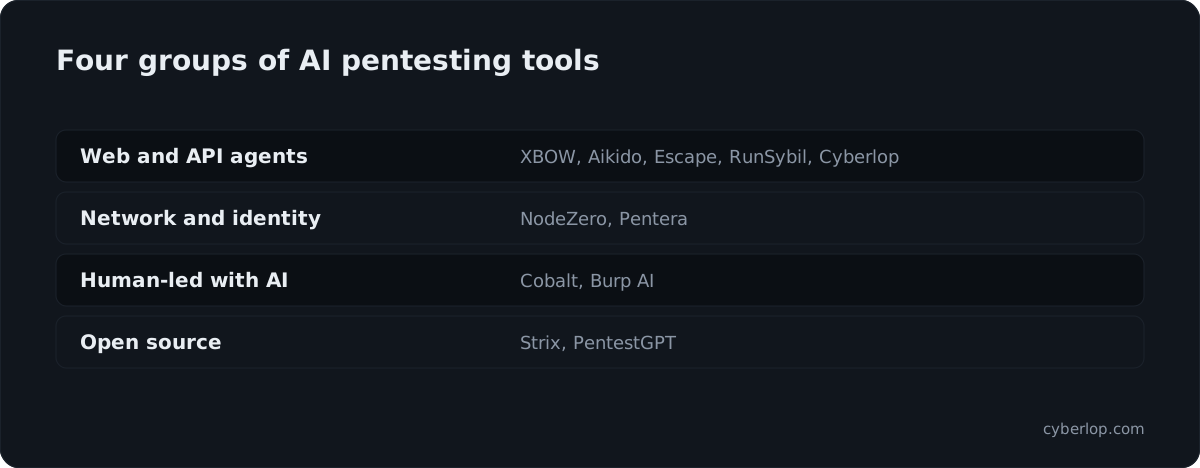
The best AI pentesting tools in 2026 are the ones that match your target and prove each finding. Web and API teams look at autonomous agents such as XBOW, Aikido, Escape, RunSybil and Cyberlop; infrastructure teams at NodeZero and Pentera; those wanting people in charge at Cobalt or Burp AI; tinkerers at Strix and PentestGPT.
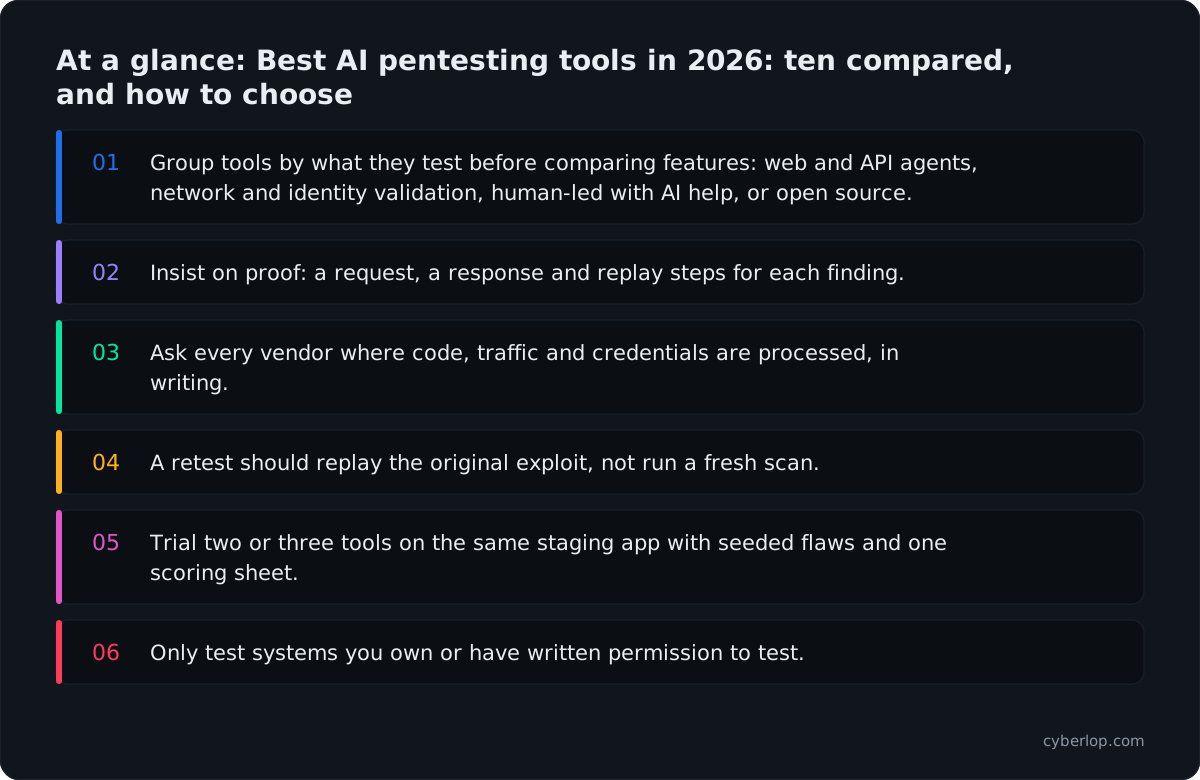
- Group tools by what they test before comparing features: web and API agents, network and identity validation, human-led with AI help, or open source.
- Insist on proof: a request, a response and replay steps for each finding.
- Ask every vendor where code, traffic and credentials are processed, in writing.
- A retest should replay the original exploit, not run a fresh scan.
- Trial two or three tools on the same staging app with seeded flaws and one scoring sheet.
- Only test systems you own or have written permission to test.
The best AI pentesting tools in 2026 fall into four groups: autonomous agents for web apps and APIs, autonomous validation for networks and identity, human-led testing with AI help, and open-source agents. Which is best depends on what you must test, whether the tool proves what it reports, and where your data goes. This guide compares ten tools using only what each vendor publishes, then shows how to choose and trial one.
What are AI pentesting tools?
AI pentesting tools are products that use AI agents to plan and run penetration-test steps, such as mapping an application, trying exploits and chaining weaknesses, with less manual effort than a scanner or a consultant-only engagement. The better ones try to prove a finding by exploiting it, rather than listing what might be wrong.
That last point is the dividing line. A vulnerability scanner matches signatures and reports suspicion. An automated pentest tries to act like an attacker and shows a working proof of exploit. Our wider explainer, AI penetration testing: what it can and cannot do in 2026, covers the method; this page is about choosing a product.
All the tools below must only be pointed at systems you own or have written permission to test. Several vendors say so in their own documentation, and so do we.
The four categories at a glance
Most tools you will shortlist belong to one of these groups. Mixing them up is an easy buying mistake.
Table 1. Categories of AI pentesting tools and what they suit.
| Category | Typical target | Strength | Watch for |
|---|---|---|---|
| Autonomous web and API agents | Web apps, APIs | Run on demand or on every release; aim to validate exploitability | How scope, authentication and data handling work |
| Autonomous network and identity validation | Internal and external networks, cloud, Active Directory | Attack-path chaining across infrastructure | Application logic is not the main focus |
| Human-led testing with AI help | Apps, networks, cloud | People judge intent, impact and context | Calendar and scoping effort |
| Open-source agents | Labs, research, internal tooling | Inspectable, no vendor lock-in | You run, secure and maintain it, and bring your own model access |
Why are teams looking at AI pentesting in 2026?
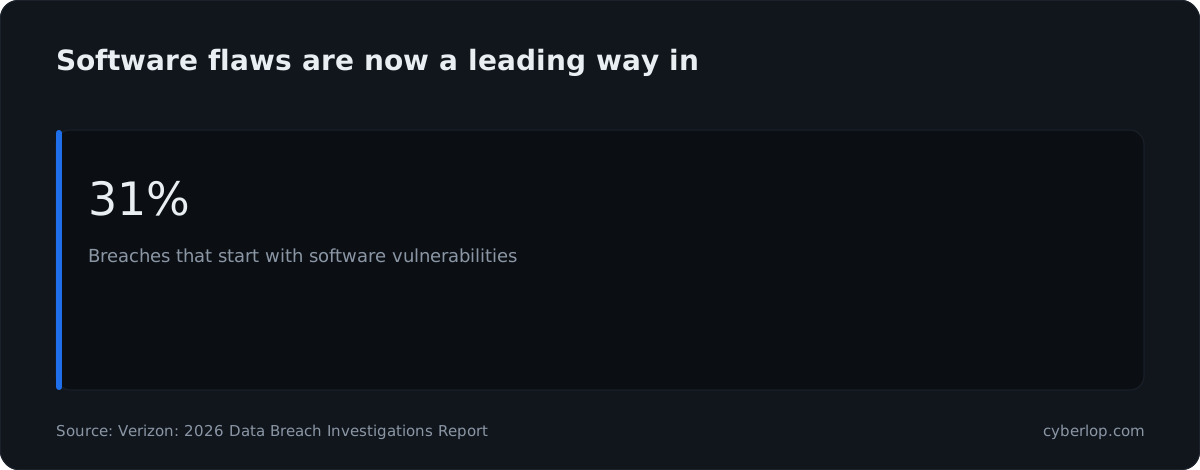
Teams are looking at AI pentesting because software flaws now open more breaches than stolen passwords do, and release cycles outpace annual tests. Verizon's 2026 Data Breach Investigations Report puts 31% of breaches down to an initial software vulnerability.
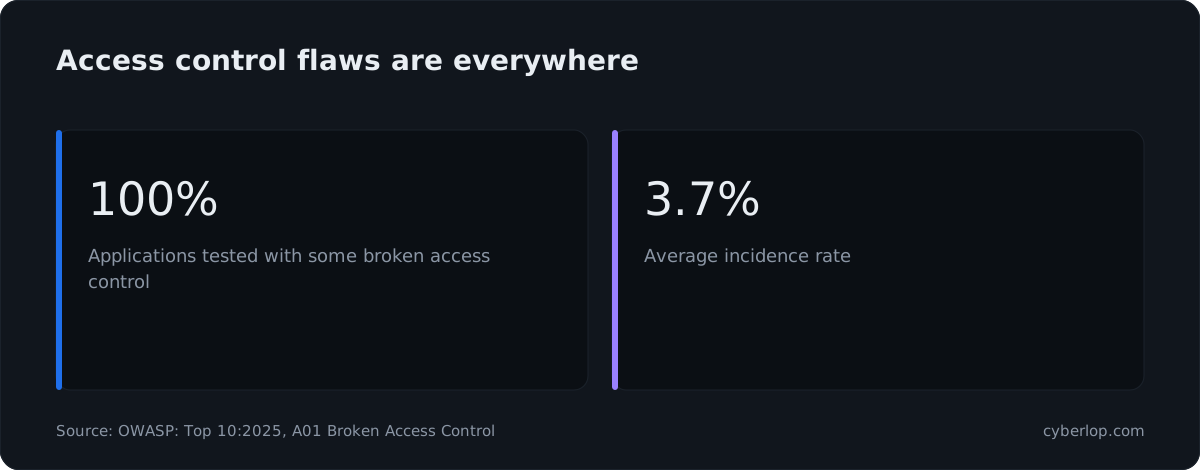
The weaknesses often sit in access control, which scanners cover unevenly. In the data behind the OWASP Top 10:2025 entry for Broken Access Control, every application tested had some form of it. The average incidence rate was 3.74%, across 1,839,701 occurrences, and the category ranks first (A01). See the Knowledge Hub on broken access control and the OWASP Top 10.
Exploitation in the wild is tracked in public. The CISA Known Exploited Vulnerabilities Catalog showed 1,734 entries when we read it on 7 October 2026 (see KEV catalog). A yearly report cannot keep up with that, and that is the case for continuous testing. Our guide to continuous penetration testing explains how to run both.
How do you evaluate an AI pentesting tool?
Evaluate an AI pentesting tool on six things: the proof it attaches to each finding, how it handles false positives, what scope and authentication it supports, where your code and data go, how it retests, and how it fits your release process. Ask each vendor the same questions and write the answers down.
Six questions to ask every vendor
1. What proof comes with a finding?
Ask to see a real report. Look for the request, the response, reproduction steps and, where it helps, a screenshot. A finding that says "possible" with no replay is a scanner result under a new name. The Knowledge Hub entries on evidence of exploitation and reproduction steps describe what good looks like.
2. How are false positives handled?
Ask what happens to a finding the tool could not exploit. Some vendors discard unproven issues, and others keep them as lower-confidence items. Either works if severity and confidence are shown separately. Read exploited, not suspected and false positive.
3. What can it reach and test?
Check supported targets (web, API, network, cloud), login methods, and whether it can test as more than one signed-in account. Cross-account access is where many serious flaws sit, so ask how the tool covers business-logic flaws and cross-account access.
4. Where do code and data go?
Find out whether the tool runs in the vendor's cloud, in your network, or on your laptop, and which model provider sees your traffic or source. Security reviewers tend to ask it early. See data residency and on-premises.
5. How does it verify a fix?
A fix is only closed when the original exploit stops working. Ask whether the tool replays the exact exploit or runs a fresh scan. See closed-loop retest and fix verification.
6. Can it run on a schedule or in CI/CD?
Check for pipeline triggers, build gating and ticketing. The point of automation is that it runs when code changes. See CI/CD and gating a build.
A scoring sheet you can copy
Table 2. Score each shortlisted tool from 0 to 3 on every row, using what you saw in the trial.
| Criterion | What a 3 looks like | What a 0 looks like |
|---|---|---|
| Proof | Request, response, replay steps for each finding | Description only |
| False-positive handling | Unproven issues dropped or clearly labelled | No distinction between suspected and proven |
| Scope and login | Your app, your APIs, your login method | Needs workarounds for your auth |
| Data handling | You choose where code and traffic go | Unclear or fixed to one cloud |
| Retest | Replays the original exploit | Fresh scan only |
| Release fit | Runs in CI and files tickets | Manual runs only |
Run the same scoring on a staging copy of one real application with seeded flaws, so you can count what each tool finds, misses and gets wrong. Section "How to run a fair trial" below gives the steps.
Which are the best AI pentesting tools in 2026?
There is no single winner, so the tools are grouped by what they test and ordered by category, not rank. Each entry says what the vendor states about itself on its own site, which we read on 7 October 2026. For pricing, use each vendor's pricing page; we do not quote any.
Autonomous agents for web apps and APIs
XBOW
XBOW describes itself as an autonomous pentesting platform that finds vulnerabilities and validates their exploitability. Its site says you point it at a URL and it explores applications and APIs, chains weaknesses into working attacks and supplies reproducible exploits. It also states that you can trigger tests on demand and retest remediated issues, and that deployment aligns with data separation, residency and compliance needs.
Suits: teams that want on-demand, validated web and API testing from an autonomous agent. XBOW.
Aikido AI Pentest
Aikido AI Pentest uses autonomous agents against applications and APIs. Its page lists whitebox (code and OpenAPI specs), blackbox and greybox modes, domain limits that you set, and a discovery, exploitation and validation flow in which unproven issues are discarded. It lists reports for management, auditors (SOC 2 and ISO 27001) and customers, and says critical findings pause for human review before deeper exploitation.
Suits: teams already using Aikido, or those who want audit-ready reports with the testing. Aikido AI Pentest.
Escape
Escape offers attack surface management, business-logic-aware DAST and AI pentesting on one platform. Its site says the DAST understands workflows and access control and supports OAuth and SSO, that findings come with screenshots, execution logs and attack-path validation, and that security gates can sit in CI/CD pipelines. It also lists API and GraphQL security.
Suits: API-heavy teams that want DAST and pentesting in one place. Escape. For the DAST side see DAST.
RunSybil
RunSybil calls itself an AI-native platform that continuously tests applications and infrastructure for exploitable vulnerabilities. Its site says it reasons adversarially instead of matching signatures, covers code, APIs, cloud and infrastructure, and runs on deployments and pull requests.
Suits: fast-shipping product teams that want testing tied to each deploy. RunSybil.
Autonomous validation for networks, cloud and identity
NodeZero (Horizon3.ai)
Horizon3.ai describes NodeZero as an autonomous pentesting platform. Its site lists internal and external networks, cloud, Kubernetes, web applications and identity systems such as Active Directory, says it operates without agents, and offers a quick verify step to confirm that fixes worked. The homepage also names NodeZero WebApp for web application pentesting.
Suits: infrastructure and identity teams that want attack paths across the estate. NodeZero. See attack path.
Pentera
Pentera calls itself a unified security validation platform. Its site lists internal networks (Pentera Core), external attack surface (Pentera Surface), cloud (Pentera Cloud), web applications and identities, with agentless operation and production guardrails such as attack throttling, customer-defined impact limits and emergency stop controls. Pentera Resolve turns validated findings into remediation tasks and revalidates.
Suits: larger security teams running a continuous exposure programme. Pentera. See exposure management and breach and attack simulation.
Human-led testing with AI help
Cobalt
Cobalt provides pentesting as a service. Its site describes human-led and autonomous testing across applications, networks, cloud and APIs, says "Cobalt Sage AI is the intelligence that powers every pentest", and cites access to 500+ vetted security professionals through its Cobalt Core network, with real-time findings and direct contact with testers.
Suits: teams that want a person to own scope and judgement, with a platform around it. Cobalt. See pentest as a service.
Burp AI in Burp Suite
PortSwigger builds AI into Burp Suite. Its Burp AI page lists AI inside Repeater in Burp Suite Professional, AI-enhanced vulnerability scanning starting with Broken Access Control, and Montoya API support for extensions. It states that AI "augments your expertise but never replaces it", that data is not retained by its third-party AI provider, and that the AI features can be disabled.
Suits: in-house pentesters and agencies who already work in Burp. Burp AI. See manual pentesting.
Open-source agents
Strix
Strix is an open-source project under the Apache 2.0 licence. Its README says it runs code dynamically, validates issues with proof-of-concept exploits, needs Docker for its sandbox, needs an API key from a supported LLM provider, and has a non-interactive mode for pipelines such as GitHub Actions. It warns you to test only systems you own or have explicit written permission to test.
Suits: engineers who want an inspectable agent and are happy to run and secure it. Strix on GitHub.
PentestGPT
PentestGPT is an MIT-licensed open-source agent. Its README describes a multi-stage pipeline, requires Python 3.12+, the uv package manager and either the Claude Code CLI or the Codex CLI, supports saving and resuming sessions, and keeps an interactive legacy mode. It states the tool is for educational purposes and authorised security testing only, and that it collects anonymous telemetry you can opt out of.
Suits: learning, labs and experienced testers who want to drive an agent themselves. PentestGPT on GitHub.
How the ten compare
Cyberlop is included in the table so you can compare it on the same rows; see the next section for where it fits.
Table 3. Scope and model as each vendor states it (read 7 October 2026). Check each vendor for current detail.
| Tool | Main scope | Testing approach | Where it runs / who runs it |
|---|---|---|---|
| XBOW | Web apps and APIs | Autonomous; reproducible exploits; on-demand retest | Vendor platform; deployment aligned to data separation and residency needs |
| Aikido AI Pentest | Apps and APIs | Autonomous; whitebox, blackbox, greybox; unproven issues discarded | Vendor platform; you set the domains |
| Escape | Web, APIs, GraphQL, attack surface | Business-logic-aware DAST plus AI pentesting | Vendor platform; CI/CD gates |
| RunSybil | Code, APIs, cloud, infrastructure | Adversarial reasoning; runs per deploy and pull request | Vendor platform |
| NodeZero | Networks, cloud, Kubernetes, web apps, identity | Autonomous; no agents; quick verify | Vendor platform with Docker host or OVA for internal tests |
| Pentera | Networks, cloud, web apps, identities | Agentless validation with production guardrails | Vendor platform |
| Cobalt | Apps, networks, cloud, APIs | Human-led and autonomous, with Cobalt Sage AI | Vendor platform plus vetted testers |
| Burp AI | Web apps, via Burp Suite | AI assists the tester; scanning starts with Broken Access Control | Your Burp Suite; AI features can be disabled |
| Strix | Apps, via CLI | Open-source agent; proof-of-concept validation | Your machine or CI with Docker and your LLM key |
| PentestGPT | Web and other challenge categories | Open-source agent; interactive legacy mode | Your machine with Claude Code CLI or Codex CLI |
| Cyberlop | Web apps and their APIs | Black-box, grey-box and white-box pentesting; reports what it exploited | Can run inside your own network (private scanning); schedule or CI/CD |
Where does Cyberlop fit?
Cyberlop is one option in the web-app and API group, best suited to teams that care about proof, code-level fixes and control over where their code goes. It finds vulnerabilities in web apps and their APIs with black-box, grey-box and white-box pentesting.
- In white-box mode it reads your code while testing the running app, so a finding can point to the file and line.
- It reports what it actually exploited: each finding carries the request, the response, a screenshot where a person can see it, and the line of code. If it did not break it, it does not report it.
- Severity and confidence are kept apart, and findings carry CWE and OWASP references (see severity vs confidence).
- A fix is proven by re-running the exact exploit against the new code, not by a fresh scan.
- It checks business-logic flaws and cross-account access.
- Private scanning lets it run inside your own network; it can also run on a schedule or in CI/CD and gate a build.
- Agencies and MSSPs can run it under their own brand (see agencies).
Its scope is web apps and their APIs, so a team that needs network or Active Directory validation should look at the infrastructure group above. See how it works and what a finding looks like.
How do you choose the right AI pentesting tool?
Choose by what you need to test first, then by proof, data handling and fit with your release process. Features come last. A tool that covers your stack and shows evidence you can replay beats a longer feature list.
Pick by situation
Table 4. Start from your situation, then shortlist two or three tools to trial.
| If you… | Look first at | Because |
|---|---|---|
| Ship a web app or API weekly | Autonomous web and API agents, including Cyberlop | They are built to run on releases and show exploit proof |
| Run mostly internal networks, cloud and Active Directory | NodeZero, Pentera | Their stated scope is infrastructure and identity |
| Need a named person to sign off scope and results | Cobalt or a pentest provider | Human judgement and direct contact with testers |
| Already have in-house testers | Burp AI, or an open-source agent | It speeds up the people you have |
| Must keep source code inside your network | A tool with private or self-run options | Check each vendor on where code and traffic go |
| Need audit-ready reports | A tool with auditor-style reports; ask for a sample | Check the sample against your auditor's expectations (see SOC 2 penetration testing) |
| Resell testing to clients as an agency or MSSP | A tool that supports white-label use | See white-label pentesting and partners |
Red flags in any demo
- The vendor cannot show a finding with a request and response.
- Every result is labelled "critical" with no confidence level.
- No clear answer on where your code, traffic or credentials are processed.
- A retest that is only a new scan.
- Claims about accuracy with no description of how they were measured.
More questions for people-led providers are in how to choose a penetration testing company.
How do you run a fair AI pentesting trial?
Run every candidate against the same staging app with the same accounts and the same seeded flaws, then score the results on one sheet. Two weeks is usually enough to see the difference.
- Write the scope. List the app, the API, the environments and the accounts. Get written authorisation (see rules of engagement and pentest scope).
- Prepare a staging copy. Use test data only, never production records. See test environment.
- Seed known flaws. Plant a handful, for example an IDOR, a missing ownership check and a coupon that applies twice, so you know what a good tool should find.
- Create two or more test accounts in different roles and organisations, so cross-account access can be tested.
- Run each tool the same way and record time, setup effort and what it asked from you.
- Replay every finding. Count the proven, the false and the missed. See false negatives.
- Fix two issues and retest. Check the tool confirms the fix and that the original exploit now fails.
- Review the data path. Ask where code, traffic and credentials went, and get it in writing.
- Score and decide with Table 2, and keep a human reviewer for anything the tool marks as high impact.
What can AI pentesting not do?
AI pentesting does not replace judgement about business context, and no vendor page replaces a trial on your own app. Burp's own page says AI "augments your expertise but never replaces it", and Aikido describes pausing for human review on critical findings. Take that as a design signal. The careful vendors keep a person in the loop.
Open questions to keep asking
- Coverage. A tool only tests what it can reach. Poorly documented APIs and unusual login flows need setup.
- Safety. Pentera and Aikido both describe guardrails, and Strix and PentestGPT both warn about authorised use. Agree limits on rate, data and destructive actions before you start.
- Evidence for auditors. Ask auditors what they accept. For India, see CERT-In empanelled VAPT and CERT-In directions.
- Model risk. Where an LLM is involved, ask which provider sees your data.
Many teams run an autonomous tool between yearly human-led tests. Our guide to black-box, grey-box and white-box testing and DAST vs SAST vs IAST show how the pieces fit, and our honest page lists what we do not do.
Questions people ask
Best ai pentesting tools 2026: FAQs
What is the best AI pentesting tool in 2026?
There is no single best tool. Autonomous web and API agents such as XBOW, Aikido AI Pentest, Escape, RunSybil and Cyberlop suit application teams; NodeZero and Pentera state a focus on networks, cloud and identity; Cobalt and Burp AI keep people in charge. Trial two or three on your own staging app.
Can AI replace human pentesters?
Not entirely. PortSwigger says Burp AI "augments your expertise but never replaces it", and Aikido describes pausing for human review on critical findings. Many teams use an autonomous tool between periodic human-led tests, and keep a person for context and sign-off.
How accurate are AI pentesting tools?
Accuracy varies by tool and by app, and vendor claims are not a substitute for a trial. Ask for a report with request and response for each finding, seed known flaws in a staging copy, and count what is proven, false and missed.
What is the difference between AI pentesting and a DAST scanner?
A DAST scanner sends test requests to a running app and reports suspected issues. An AI pentesting tool plans multi-step attacks and tries to exploit what it finds, so a finding is proven. Some products, such as Escape, offer both. See our DAST vs SAST guide.
Are there free or open-source AI pentesting tools?
Yes. Strix is Apache 2.0 licensed and PentestGPT is MIT licensed, per their GitHub pages. You run and secure them yourself and bring access to a language model provider, so check each project's page for current requirements and costs.
Is it legal to use an AI pentesting tool on any website?
No. Only test systems you own or have explicit written permission to test. Strix and PentestGPT both say this in their README files, and unauthorised testing is illegal in most jurisdictions. Write the scope and authorisation down before you start.
Where does my code go when I use an AI pentesting tool?
It depends on the product. Some run on the vendor's platform, some on your machine, and some can run inside your network. Ask each vendor in writing where code, traffic and credentials are processed and which model provider sees them.
How often should I run AI pentesting?
Run it when code changes, for example on each release or pull request for fast-moving apps, and keep a human-led test for the yearly review or an audit. See our guide to continuous penetration testing for a schedule.
Sources
Where the facts come from
- Verizon: 2026 Data Breach Investigations Report
- OWASP: Top 10:2025, A01 Broken Access Control
- CISA: Known Exploited Vulnerabilities Catalog
- XBOW: official site
- Aikido: AI Pentest
- Escape: official site
- RunSybil: official site
- Horizon3.ai: NodeZero
- Pentera: platform
- Cobalt: official site
- PortSwigger: Burp AI
- Strix: GitHub repository
- PentestGPT: GitHub repository
- Horizon3.ai: homepage
Keep reading
Related articles
AI penetration testing in 2026: what it can and cannot do
AI penetration testing in 2026: what it does well, where it fails, how accurate it is, and questions to ask before you trust a tool.
Black box vs white box penetration testing: which to choose
Black, grey and white box penetration testing compared: what each finds and misses, how effort differs, when to choose each and how to combine them.
CERT-In empanelled VAPT: who needs it, and how to check one
Who really needs a CERT-In empanelled VAPT, what the 2022 directions and 2025 audit guidelines say, how to verify an auditor, and what it does not guarantee.

Try proof-first testing on one app
Cyberlop finds vulnerabilities in web apps and their APIs with black-box, grey-box and white-box pentesting, reports only what it exploited, and proves each fix by re-running the exact exploit. Ask us to run it on one of your applications.
Or start with a $199 pilot on one application: thirty days, success criteria agreed before day one, credited against the annual if you convert.