
Home / Blog / Burp suite vs owasp zap
Compare
Burp Suite vs OWASP ZAP in 2026: which one should you use?
Burp Suite is a commercial toolkit for hands-on testers; ZAP is a free, open-source scanner that is easy to automate. This guide compares them using only what each vendor publishes.
Cyberlop Labs · Updated · 15 min read
Burp Suite is PortSwigger's commercial web testing toolkit; ZAP is a free, open-source web app scanner and proxy. Choose Burp Suite Professional for hands-on testing, Burp Suite DAST for scheduled scanning across many apps, and ZAP for free CI scans. Neither proves a finding or retests a fix by itself.
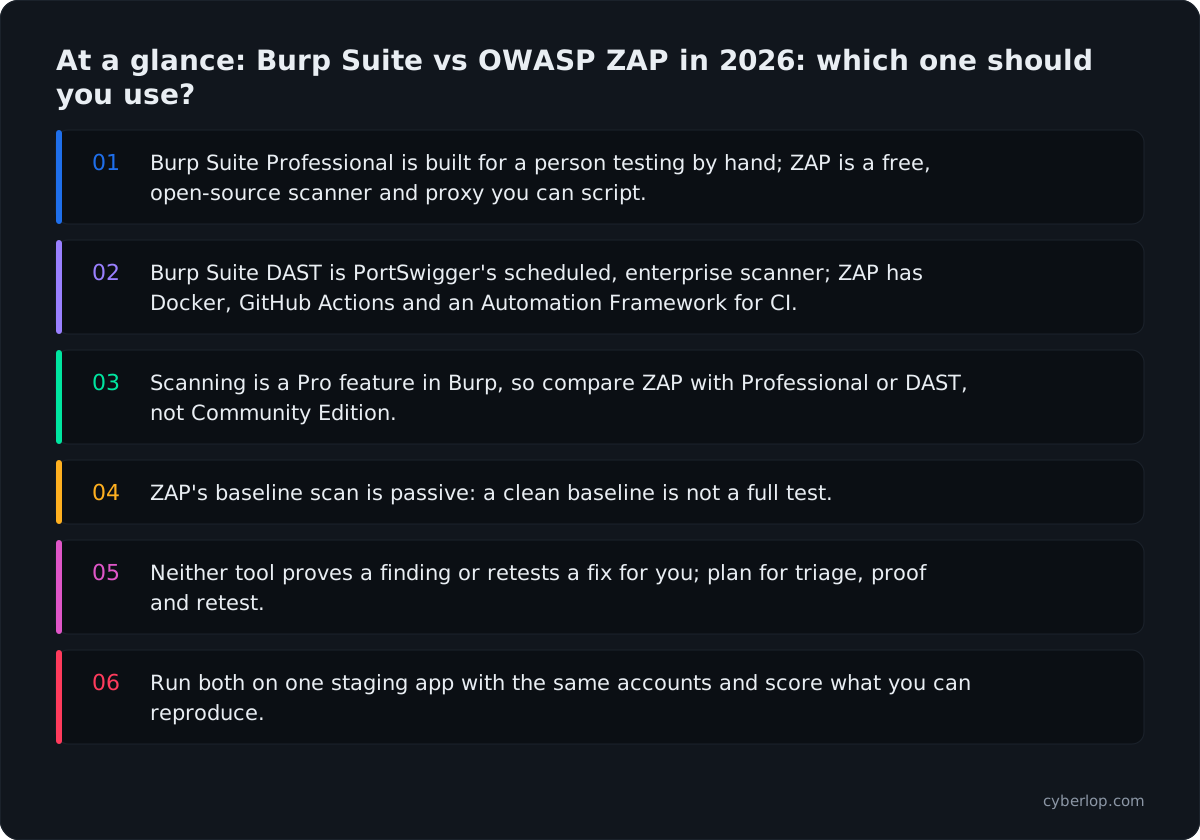
- Burp Suite Professional is built for a person testing by hand; ZAP is a free, open-source scanner and proxy you can script.
- Burp Suite DAST is PortSwigger's scheduled, enterprise scanner; ZAP has Docker, GitHub Actions and an Automation Framework for CI.
- Scanning is a Pro feature in Burp, so compare ZAP with Professional or DAST, not Community Edition.
- ZAP's baseline scan is passive: a clean baseline is not a full test.
- Neither tool proves a finding or retests a fix for you; plan for triage, proof and retest.
- Run both on one staging app with the same accounts and score what you can reproduce.
Burp Suite vs OWASP ZAP comes down to how you work. Burp Suite Professional is a commercial toolkit built for a person who tests by hand; ZAP is a free, open-source scanner and proxy that is easy to script into a pipeline. Many teams run both, and the real choice is which one does which job.
Burp Suite is PortSwigger's family of web security testing tools: Community Edition, Professional, DAST and Burp AT. ZAP (Zed Attack Proxy) is an open-source web app scanner now published as "ZAP by Checkmarx". This guide compares them using only what PortSwigger and the ZAP project publish themselves, read on 7 and 8 October 2026. It gives no prices (see each vendor's pricing page) and does not claim either tool beats the other.
Burp Suite vs ZAP: what is the short answer?
Pick Burp Suite Professional if a skilled person will sit in the tool and test by hand. Pick ZAP if you want an open-source scanner that runs unattended in CI, or if you cannot buy a licence. Pick Burp Suite DAST if you need scheduled scanning across many applications with access controls. If you need to prove that a finding is real, you will still need a person or a tool that exploits it.
Which edition is which?
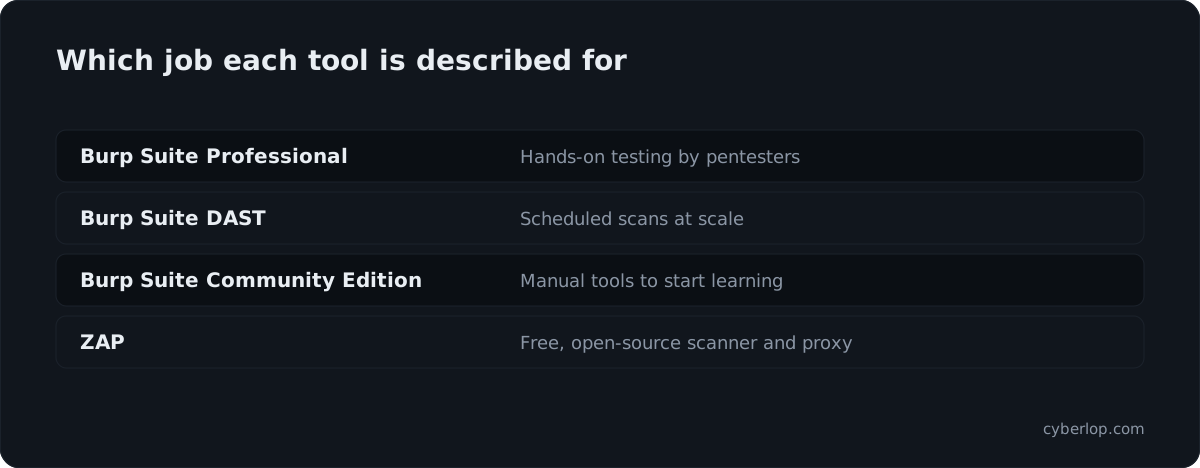
The tables in this guide use the vendors' own names. The first one maps the products to the jobs they describe for themselves.
| Product | Who publishes it | How the vendor describes it | Main user |
|---|---|---|---|
| Burp Suite Community Edition | PortSwigger | "The best manual tools to start web security testing" | Learners |
| Burp Suite Professional | PortSwigger | "The world's #1 web penetration testing toolkit" | Pentesters, hands-on professionals |
| Burp Suite DAST | PortSwigger | "The enterprise-enabled dynamic web vulnerability scanner" | AppSec teams |
| Burp AT | PortSwigger | "Agentic AI that extends human-led pentesting" | Pentesters |
| ZAP | ZAP Dev Team (by Checkmarx) | "The world's most widely used web app scanner. Free and open source." | Developers, testers, security teams |
Sources: PortSwigger Burp Suite page and zaproxy.org. The descriptions are the vendors' own words, not independent findings.
What is Burp Suite?
Burp Suite is a set of web security testing tools from PortSwigger. At its centre sits an intercepting proxy. Your browser traffic passes through it, so you can read each request and response, then edit and replay them. The editions add scanning, scale and AI on top of that core.
Burp Suite Community Edition and Professional
PortSwigger's Professional page lists Proxy intercept, Repeater and Intruder as the manual tools, plus an integrated web vulnerability scanner. It also lists a BApp Store with "300+ Extensions" from "250+ BApp authors". Extensions can, per the extensions documentation, modify requests and responses, add checks to Burp Scanner and customise the interface. The same page says PortSwigger "makes no warranty about their quality or usefulness for any particular purpose".
The Community Edition is described as manual tools for starting out. In PortSwigger's getting-started documentation, running a scan and generating a report are marked "Pro only", and so is the Collaborator tool. If you are comparing ZAP with Burp for scanning, you are comparing it with Professional or DAST, not Community.
Burp Suite DAST
Burp Suite DAST is the edition built for automation. PortSwigger's DAST page lists nightly portfolio scans, weekly deep scans and ad-hoc pull request scans, with CI/CD integrations for Jenkins, GitHub Actions, GitLab CI, Azure DevOps, Bitbucket Pipelines, CircleCI and TeamCity. It also lists role-based access control, audit trails and SAML SSO. Deployment comes in three models: managed cloud, self-hosted on Windows or Linux, and Kubernetes using Helm.
The DAST user guide describes authentication by credentials, recorded logins, TOTP multi-factor codes and WebAuthn passkeys. API targets can be loaded from definitions such as OpenAPI, Postman Collections, SOAP and GraphQL. The vendor says DAST uses the same check IDs, severities and evidence capture as Professional, so a finding means the same thing in both.
Burp AI and Burp AT
PortSwigger documents Burp AI as a set of features in Professional. Its documentation says "none of them run unless you explicitly activate them" and that "using them requires AI credits". The Professional scanning documentation names an AI-powered Explore Issue feature that automates follow-up testing and proof-of-concept exploits. Burp AT is listed on the editions page as agentic AI that extends human-led pentesting; its detail is on PortSwigger's site, not repeated here.
What is OWASP ZAP?
ZAP is a free, open-source web application scanner and intercepting proxy. It is licensed under Apache 2.0, written in Java, and the GitHub repository calls it "The Zed Attack Proxy (ZAP) by Checkmarx". The project site calls it "an independent Open Source project" maintained by the ZAP Dev Team, with a footer credit to Checkmarx.
The older name, OWASP ZAP, is still the name many people search for. This guide uses "ZAP" because that is what the project's own site uses today.
Install, modes and the browser view
ZAP's getting-started page lists installers for Windows, Linux and macOS, plus Docker images. It needs Java 17 or later; only the macOS installer bundles Java. The Quick Start tab can run an automated scan: enter a URL, and ZAP crawls the application and runs passive and active scanning. Or you can explore by hand in a launched browser while ZAP scans passively in the background.
The modes documentation describes four modes. Safe mode permits no potentially dangerous operations. Protected mode only allows them on URLs in your scope, and the docs recommend it. Standard mode restricts nothing. ATTACK mode actively scans new in-scope nodes as soon as they are found. The page warns you should only use active scanning on applications you have permission to test. The HUD brings ZAP's information and functions into your browser.
Add-ons and community
The ZAP Marketplace lists over 200 add-ons in release, beta and alpha status. They cover protocols such as GraphQL, gRPC, SOAP and WebSockets, scripting in Python, Ruby, Groovy and JavaScript, reports and browser integration. The GitHub repository shows 15.9k stars and 10,407 commits at the time of reading.
How do Burp Suite and ZAP compare, criterion by criterion?
They overlap on the proxy and the scanner and differ on licence, scale and workflow. The table lines up what each vendor publishes. "Not stated on its pages" means the pages we opened did not say; it does not mean the feature is missing.
Head-to-head table
| Criterion | Burp Suite Professional | Burp Suite DAST | ZAP |
|---|---|---|---|
| Licence model | Commercial, per user | Commercial, enterprise | Open source, Apache 2.0 |
| Manual proxy tools | Proxy, Repeater, Intruder | Not stated on its pages | Proxy, HUD, manual explore |
| Built-in scanner | Crawl and audit | Scheduled, at scale | Passive and active |
| CI/CD route | Not stated on its pages | Jenkins, GitHub Actions, GitLab CI and more | Docker, GitHub Actions, Automation Framework |
| Scheduling and multi-app control | Not stated on its pages | Schedules, sites, RBAC, SAML SSO | Build with the API or your CI |
| API definitions | OpenAPI, GraphQL, SOAP | OpenAPI, Postman, SOAP, GraphQL | OpenAPI, GraphQL (API scan) |
| Authentication | Credentials, recorded logins | Credentials, recorded login, TOTP, WebAuthn | Form, JSON, HTTP/NTLM, script, browser-based |
| Extensibility | BApp Store, Montoya API, BChecks | Shares Professional checks | 200+ add-ons, scripts, API |
| AI features | Burp AI, opt-in, uses credits | See vendor page | Not stated on its pages |
| Deployment | Desktop application | Cloud, self-hosted, Kubernetes | Desktop, Docker, daemon mode |
Sources: PortSwigger's Professional, DAST and documentation pages, and the ZAP automation, authentication, add-on and getting-started pages listed under Sources.
Is Burp Suite or ZAP better for manual testing?
Burp Suite Professional is built around the person at the keyboard, and PortSwigger describes it as a toolkit for pentesters and "hands-on security professionals". ZAP also supports manual work through its proxy, HUD and scripting. Which feels better is a matter of habit, and the ZAP project makes no claim about it either way.
Tool by tool
What Burp Suite Professional gives a manual tester
- Repeater and Intruder for replaying and varying requests one at a time or in bulk.
- Extensions from the BApp Store and your own code through the Montoya API.
- BChecks, which let you write your own scan checks, documented under "Extend Burp".
- Explore Issue, an opt-in AI feature for following up scanner issues.
What ZAP gives a manual tester
- A launched, pre-configured browser from Quick Start, scanning passively as you click.
- The HUD inside the page you are testing.
- Scripts in languages the Marketplace lists, and add-ons for protocols such as WebSockets and gRPC.
- Modes that stop you sending dangerous requests outside the scope you set.
Learning curve
The vendor pages we read make no learning-curve claim, so be wary of anyone who gives you one as fact. A practical test is cheap: give a developer who has never used either tool a staging app and a goal, such as "find where the cart total is calculated and change it". See which tool they get through in an afternoon.
Which is easier to run in CI/CD?
ZAP publishes the most direct route for a team that wants to start today without a purchase. Burp Suite DAST is the PortSwigger product for the same job, and it adds scheduling and access control. PortSwigger's Professional page lists CI-driven scanning as a separate solution and does not say that Professional itself runs in a pipeline.
ZAP in a pipeline
The ZAP automation page lists six routes, from ZAPit (a quick reconnaissance scan) to the API in daemon mode. Two matter for most teams: Docker, which it calls "the easiest way to get started", and the Automation Framework, "recommended for most non-trivial automation". The Automation Framework uses one YAML file with jobs such as spider, activeScan, openapi and report, runs with -cmd -autorun, and returns exit code 0, 1 or 2 for success, error or warning.
The Docker documentation describes stable, weekly, nightly and bare images and three packaged scans. The Baseline Scan runs the spider for one minute by default and reports passive results. The Full Scan adds a full active scan. The API Scan actively scans APIs defined by OpenAPI or GraphQL. Choosing the right one matters: a baseline scan is passive, so a clean baseline is not a clean bill of health.
Burp Suite DAST in a pipeline
PortSwigger's DAST pages describe scans started from CI on a pull request, alongside nightly and weekly schedules. Sites carry scope, authentication and notification settings, and scan configurations are reused across them. That structure suits a team with dozens of applications and a central security group. It is more than a two-person startup needs.
A simple rule for pipelines
- One application, one team, no budget line: start with ZAP's baseline scan in CI/CD, then add a full scan on a schedule.
- Many applications, central reporting, audit trails: look at Burp Suite DAST.
- Either way, decide first whether a finding should gate a build or only open a ticket.
How well do they handle logins and APIs?
Both document authenticated scanning and API definitions. Logins are where most scans quietly fail, so test your own login flow in both tools before you decide.
Authentication
ZAP's authentication documentation lists seven methods: manual, form-based, JSON-based, HTTP/NTLM, script-based, browser-based and client script. Form, JSON, HTTP and script methods support re-authentication; manual does not. The Automation Framework page says it supports all of ZAP's authentication mechanisms.
Burp Scanner documents authenticated scanning with login credentials and recorded login sequences. DAST adds Basic, Bearer token, API key and OAuth 2.0 client credentials on its product page, and TOTP and WebAuthn in the user guide. PortSwigger also describes "session-aware scanning" that keeps the signed-in state through a scan.
APIs
Both read OpenAPI and GraphQL definitions. Burp Suite Professional and DAST also list SOAP, and DAST lists Postman Collections and discovery from Amazon API Gateway, Azure API Management and Google Apigee. ZAP's Marketplace lists add-ons for GraphQL, gRPC and SOAP. For deeper API test cases, see API security testing.
Two limits worth knowing
A scanner replays the logins and requests it is given. It does not know that invoice 1042 belongs to another customer, or that a coupon should work once. Those are broken access control and business logic problems, and they need an account plan and judgement. Ask each vendor how it finds these, and ask for a real example.
Why does web application testing still matter in 2026?
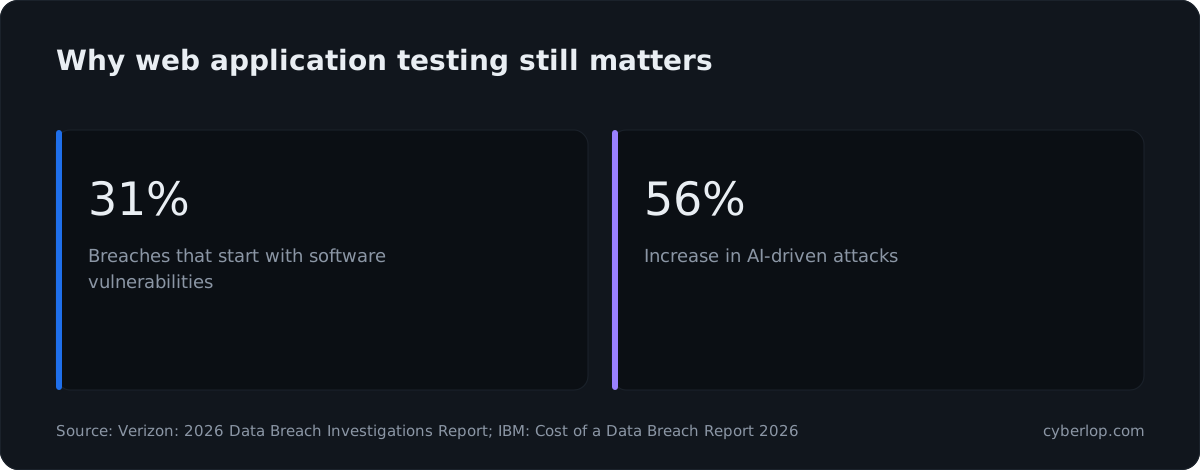
Because attackers keep getting in through software flaws, and the public data says so. Four published numbers frame the stakes for any team choosing a scanner or a toolkit.
- The Verizon 2026 Data Breach Investigations Report says 31% of breaches now start with software vulnerabilities, "beating stolen passwords as the top way attackers get in".
- The CISA Known Exploited Vulnerabilities catalogue showed 1,734 entries when we read it on 7 October 2026. See KEV catalog for what the list means.
- IBM's Cost of a Data Breach Report 2026 reports the global average cost of a breach as "a 12% increase over last year and a record high".
- The same IBM report cites a "56% increase in AI-driven attacks".
The OWASP Top 10:2025 still puts Broken Access Control at A01, ahead of Security Misconfiguration (A02) and Injection (A05). Scanners find some of each; people and proof-driven tools find the rest. See the OWASP Top 10 for the full list.
What does neither tool do for you?
Neither Burp Suite nor ZAP finishes the job on its own. A DAST scanner, a proxy and a toolkit all produce raw material. Someone still has to decide what is real, who owns the fix and whether it stays closed. Plan for these four gaps whichever you choose.
Four gaps to plan for
1. Triage time
Automated scanners report suspicions. Each one needs someone to triage it and rule out a false positive. ZAP's packaged Docker scans are tuned to report a maximum of 10 passive scan alert instances, which is one reason to read the settings, not just the summary.
2. Proof of exploit
A finding a developer can reproduce gets fixed faster than one they have to believe. Burp's Explore Issue follows scanner findings with attempted exploits, which PortSwigger describes as automating follow-up testing and generating proof-of-concept exploits. With ZAP you can do the same by hand or by script. Either way, ask for the request, the response and the steps. The glossary entry on proof of exploit explains why.
3. Cross-account and logic flaws
Checking what one signed-in account can reach that it should not needs two or more accounts and a plan for which records each owns. Both tools can carry the sessions; the thinking is yours. See the access control testing checklist and BOLA.
4. Retest after the fix
A fresh scan tells you the scanner no longer sees the issue. It does not tell you the original exploit fails. Re-running the exact request is a stronger check. See closed-loop retest.
Gap summary
| Need | Burp Suite Professional | Burp Suite DAST | ZAP |
|---|---|---|---|
| Hands-on exploration | Core strength | Use Professional alongside | Proxy, HUD, scripts |
| Unattended runs on a schedule | Not stated on its pages | Nightly, weekly, ad hoc | Docker, Automation Framework |
| Free to start | Commercial licence | Commercial licence | Free and open source |
| Central control for many apps | Per user | RBAC, audit trails, SSO | You assemble it |
| Someone judges what is real | You | You | You |
Where does Cyberlop fit next to Burp Suite and ZAP?
Cyberlop is a third kind of option. It is a pentesting platform that finds vulnerabilities in web apps and their APIs, and it reports only what it exploited. It does not replace a proxy toolkit that your testers love, and it is not a free scanner. It suits a team that wants findings backed by evidence.
- Modes: black-box, grey-box and white-box pentesting. In white-box mode it reads your code while testing the running app, so a finding can point to the file and line.
- Evidence: each finding carries the request, the response, a screenshot where a person can see it, and the line of code. If we did not break it, we do not report it.
- Severity and confidence are kept apart, and findings carry CWE and OWASP references.
- Retest: a fix is proven by re-running the exact exploit against the new code.
- Coverage: business-logic flaws and cross-account access.
- Where it runs: inside your own network (private scanning), on a schedule or in CI/CD, with the option to gate a build.
- Agencies and MSSPs can run it under their own brand (see partners).
A sensible split: keep ZAP or Burp for hand-testing and cheap pipeline checks, and add Cyberlop where you need evidence. Read how it works and what evidence looks like, and compare it with other DAST tools or Burp Suite Enterprise alternatives.
How do you choose between Burp Suite and ZAP?
Choose by who will use the tool, where it must run, and what evidence you need to leave with. The criteria below turn those three questions into a decision you can write down.
Six criteria that decide it
1. Who does the testing?
A dedicated pentester or security engineer who lives in the tool will get most from Burp Suite Professional. Developers who test occasionally get more from ZAP's Quick Start, HUD and Docker scans, or from a pipeline step they never open.
2. Is a licence in scope?
If you cannot buy a tool this quarter, ZAP is free and open source under Apache 2.0. If you can, see PortSwigger's pricing page for current terms, and compare cost per user against the hours saved.
3. How many applications?
A handful of apps can be handled with ZAP in CI and a shared spreadsheet. Dozens of apps with different owners point towards Burp Suite DAST or another platform with sites, roles and audit trails.
4. What do your logins look like?
List your login flows: form, SSO, MFA, API keys. Check each against the authentication lists in this guide. A scan that never signs in tests only the public pages. Our guide to authenticated testing explains the cost of skipping it.
5. What will an auditor or customer accept?
A scanner report is not a penetration test report. If a customer questionnaire asks for a pentest, check what they accept before you rely on either tool. See DAST vs SAST vs IAST and continuous penetration testing.
6. Where can the data go?
ZAP runs where you run it. Burp Suite DAST can be cloud, self-hosted or on Kubernetes. Burp AI features are opt-in and use AI credits; read PortSwigger's "AI trust and data handling" page before enabling them on client work.
Which tool for which situation?
| Your situation | Start with | Why |
|---|---|---|
| Student or first-time tester | Burp Suite Community Edition or ZAP | Both give you a proxy to learn on; scanning in Burp is Pro only |
| Freelance pentester | Burp Suite Professional | Manual toolkit, extensions, reporting |
| Startup with CI and no budget | ZAP baseline scan, then full scan | Docker and GitHub Actions routes in the ZAP docs |
| Security team with many apps | Burp Suite DAST, plus Professional for testers | Schedules, RBAC, audit trails, shared checks |
| Needs proven findings with code locations | A pentesting platform such as Cyberlop, alongside either | Exploit evidence and retest, not a suspicion list |
How do you run a fair trial of both tools?
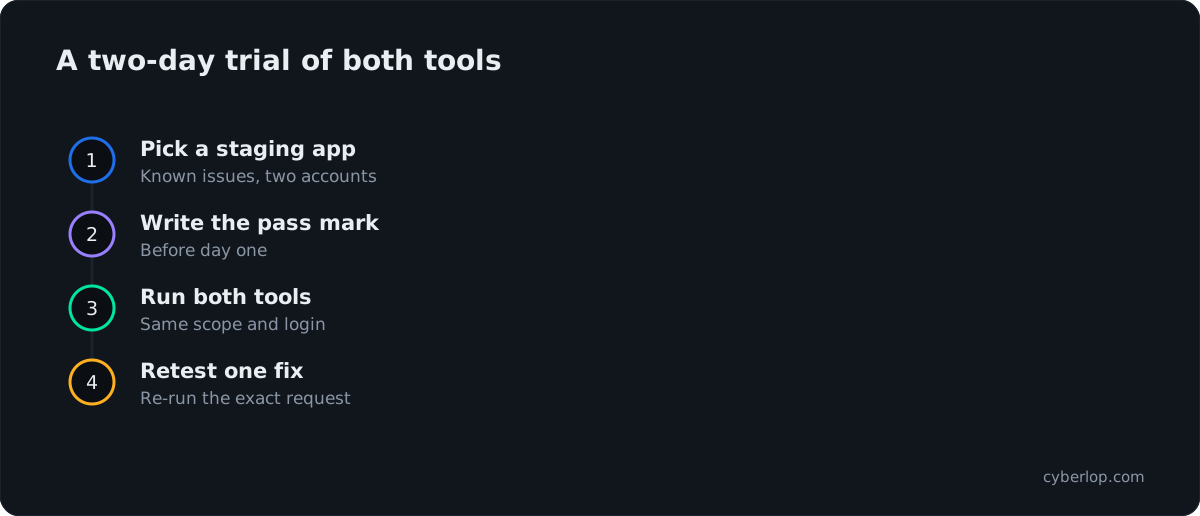
Run both against the same staging app, with the same accounts, and score what you can reproduce. A two-day trial beats any comparison page, including this one.
- Pick a staging copy of an application you know, with two or three planted or known issues.
- Create at least two test accounts with different data, so cross-account access can be checked.
- Write the pass mark first: for example, "finds the known issues and reproduces each with a request and response".
- Run ZAP's Automation Framework plan, then a Burp scan, with the same scope and login.
- Count real findings, false positives and missed known issues. Record the setup time too.
- Fix one finding and re-run the exact request. Note whether the tool helps you prove the fix.
Common mistakes
- Scanning production without written permission, or with ATTACK mode on.
- Trusting a passive baseline scan as if it were a full test.
- Comparing Burp Community with ZAP for scanning, when scanning is a Professional feature.
- Judging by finding count. Ten confirmed issues beat a hundred suspicions.
- Forgetting that each tool's output is only as good as the login you gave it.
Questions people ask
Burp suite vs owasp zap: FAQs
Is Burp Suite better than ZAP?
Neither vendor says so, and the answer depends on the job. PortSwigger positions Burp Suite Professional for hands-on pentesters. ZAP describes itself as free, open-source and automatable. Many teams use Burp for manual testing and ZAP in CI. Run both on the same staging app and compare what you can reproduce.
Is ZAP free?
Yes. ZAP's site describes it as "Free and open source", and the GitHub repository lists the Apache 2.0 licence. You still pay in setup time, maintenance and triage, so count those when you compare it with a commercial tool.
What is the difference between Burp Suite Professional and Burp Suite DAST?
Professional is a toolkit for a person testing by hand, with Proxy, Repeater, Intruder and a scanner. DAST is PortSwigger's enterprise scanner, with scheduled scans, CI/CD integrations, role-based access control and cloud, self-hosted or Kubernetes deployment.
Can ZAP run in a CI/CD pipeline?
Yes. ZAP's automation documentation lists Docker, GitHub Actions, the Automation Framework and an API with daemon mode. The Docker baseline scan is passive. For active testing, add a full or API scan, and run it only against systems you have permission to test.
Does Burp Suite Community Edition include the scanner?
No. PortSwigger's getting-started documentation marks running a scan and generating a report as "Pro only". Community Edition is described as manual tools for starting out. If you need scanning, compare ZAP with Professional or DAST.
Is OWASP ZAP the same as ZAP?
Yes, it is the same project. It began as OWASP ZAP and its site now says ZAP, described as an independent open-source project, with the repository titled "ZAP by Checkmarx". Search results still use both names.
Do Burp Suite or ZAP replace a penetration test?
Not by themselves. They are tools. A penetration test is a scoped exercise with exploited, reproducible findings and a report. Check what your auditor or customer accepts, and whether a scanner report alone will do.
What should I use if I need proof of each finding and a retest?
Use a tool or tester that exploits findings and records the request and response, then re-runs the same exploit after the fix. You can do this by hand in either tool, or use a pentesting platform such as Cyberlop alongside them.
Sources
Where the facts come from
- PortSwigger: Burp Suite editions
- PortSwigger: Burp Suite Professional
- PortSwigger: Burp Suite DAST
- PortSwigger: Burp Suite DAST user guide
- PortSwigger: Burp extensions
- PortSwigger: Burp AI features
- PortSwigger: Burp Suite documentation, getting started
- ZAP: home page
- ZAP: getting started
- ZAP: modes
- ZAP: heads up display
- ZAP: marketplace add-ons
- ZAP: automation options
- ZAP: Automation Framework
- ZAP: Docker
- ZAP: authentication methods
- ZAP: API
- ZAP: GitHub repository
- Verizon: 2026 Data Breach Investigations Report
- IBM: Cost of a Data Breach Report 2026
- CISA: Known Exploited Vulnerabilities Catalog
- OWASP: Top 10:2025
Keep reading
Related articles
Access control testing checklist: sideways, upward and across tenants.
A step-by-step access control testing checklist for web apps and APIs: account planning, sideways, upward and cross-tenant checks, evidence and retests.
API security testing: a 2026 guide to the OWASP API Top 10
A step-by-step API security testing guide: the OWASP API Top 10 (2023) with test cases, BOLA and BFLA checks, JWT, OAuth, GraphQL and a CI/CD plan.
Best DAST tools 2026: twelve compared and how to choose
Twelve DAST tools compared from vendor docs: authentication, APIs, CI/CD, proof and deployment, plus a decision table and a one-week bake-off.

Want findings with proof attached?
Cyberlop finds vulnerabilities in web apps and APIs in black-box, grey-box and white-box modes, and reports only what it exploited, with request, response and the line of code. Ask us to run it on one of your applications.
Or start with a $199 pilot on one application: thirty days, success criteria agreed before day one, credited against the annual if you convert.